

Protecting Your Castle: A Modern Homeowner’s Guide to Data Security
Your home has always been your castle—a place of safety and security. In the past, protection meant strong locks and a sturdy door. But today, the biggest threats can slip silently through your Wi–Fi signal. Protecting your castle now requires a digital drawbridge and virtual sentinels. The moat that once protected your fortress is now the invisible network that connects everything from your thermostat to your television, and securing it is paramount.

At givemethathouse.com, we’re experts in every facet of modern homeownership. From finding the perfect property to making it a safe and secure home for your family, we provide the high-value expertise you need to navigate today’s challenges. We believe a truly secure home is protected both physically and digitally, and our mission is to empower you with the knowledge to defend both fronts.
The explosion of smart home technology—from voice assistants and doorbell cameras to smart thermostats and TVs—has made our lives more convenient, but it has also created new vulnerabilities. The average U.S. household now has an estimated 22 connected devices, according to a 2021 report from Deloitte. Each one represents a potential new doorway into your private life. It can feel overwhelming to know where to even begin securing your personal information.
This guide will demystify data security for the modern homeowner. We’ll provide clear, actionable steps to fortify your digital defenses, turning your connected house back into a secure castle.
Key Takeaways
- Your home Wi-Fi network is the gateway to your digital life; securing it is the most critical first step.
- Every smart device is a potential entry point for hackers. Strong, unique passwords and two-factor authentication are essential.
- Data security is crucial during real estate transactions to prevent devastating wire fraud.
- When moving, you must perform a “digital deep clean” by resetting all smart devices to protect your privacy and the new owner’s security.
- A family-wide security plan ensures everyone, including children, helps maintain the home’s digital defenses.
TL;DR
Securing your modern home involves more than just locking the doors. You must protect your digital life by securing your Wi-Fi network with a strong password and guest network, using unique passwords and two-factor authentication on all smart devices, and being vigilant against phishing scams. This guide provides a step-by-step plan for homeowners to protect their data, privacy, and finances.
The increasing number of connected devices in a modern home creates multiple new entry points for digital threats, making robust data security as essential as a physical lock on your door.
The Rise of the Smart Home (and Its Vulnerabilities)
The modern home is a hub of interconnected technology. Think about your daily routine: you might ask a smart speaker for the weather, check your video doorbell from your phone, adjust your smart thermostat before you get home, and stream a movie on your smart TV. This network of devices, often called the Internet of Things (IoT), includes:
- Smart speakers and displays (Amazon Echo, Google Nest Hub)
- Security cameras and video doorbells (Ring, Arlo)
- Smart locks and garage door openers
- Smart thermostats (Nest, Ecobee)
- Smart TVs and streaming devices
- Even smart refrigerators, lightbulbs, and coffee makers
Each of these devices is essentially a small, specialized computer connected to the internet. If even one is compromised due to a weak password or outdated software, it can create a backdoor for a malicious actor to access your entire home network, potentially exposing every other device connected to it.
What’s at Stake? From Financial Data to Personal Privacy
A breach of your home network isn’t just a technical inconvenience; it’s a direct threat to your family’s well-being. The consequences can be severe and wide-ranging:
- Financial Theft: Hackers can capture banking credentials, credit card numbers, or other financial information transmitted over an unsecured network, leading to direct financial loss.
- Identity Theft: Cybercriminals can steal enough personal information—names, addresses, social security numbers—to open fraudulent accounts, file false tax returns, or commit other crimes in your name. In 2022, identity fraud losses totaled a staggering $20 billion in the United States alone, according to Javelin Strategy & Research.
- Invasion of Privacy: This is perhaps the most unsettling risk. Hackers can gain access to baby monitors, indoor security cameras, or smart speaker microphones to spy on your family’s most private moments.
- Physical Security Risks: A compromised network could allow a criminal to remotely disable your security system, turn off cameras, or even unlock your smart locks, creating a direct physical threat.
Securing your home’s Wi-Fi network is the single most critical step in protecting all connected devices from unauthorized access.
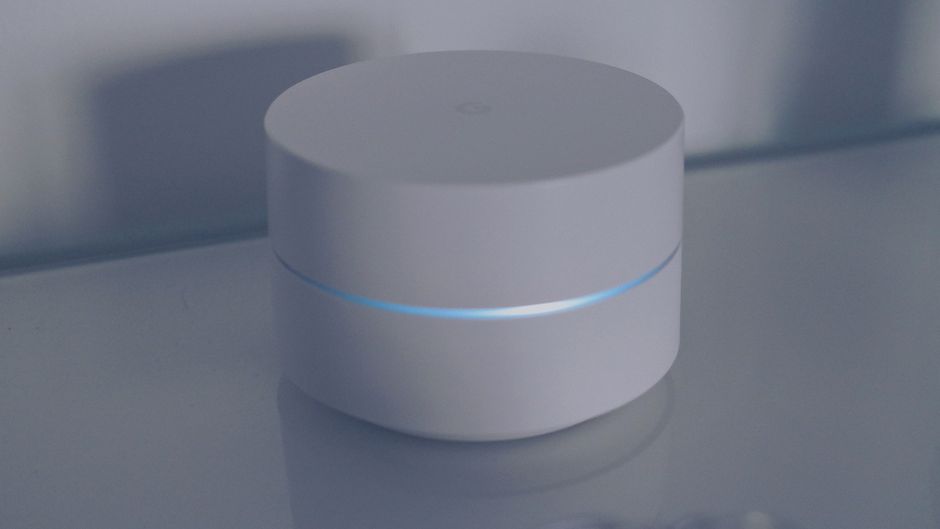
Your Wi-Fi router is the main gate to your digital castle. If it’s left undefended, every other security measure you take is weakened. Fortifying your router should be your first priority.
Rename Your Network and Change the Default Passwords
When you get a new router from your internet service provider, it comes with a default network name (SSID) and administrator password. These defaults are often publicly known or easily guessed (e.g., “admin” and “password”).
- Log into your router’s admin panel: This usually involves typing an IP address (like 192.168.1.1) into your web browser. Check the sticker on your router or the user manual for the correct address and default login info.
- Change the administrator password: This is the password for accessing the router’s settings. Make it long, complex, and unique.
- Change the Wi-Fi password: This is the password you use to connect devices to your network. It should be at least 12 characters long and include a mix of upper- and lower-case letters, numbers, and symbols.
- Change the network name (SSID): Avoid using personal information like your family name or address.
Enable the Highest Level of Encryption (WPA3 or WPA2)
Encryption: The process of scrambling your data so that it can only be read by authorized parties.
In your router’s security settings, you’ll see options for encryption protocols. These standards protect the information flowing between your devices and the router. Always choose the strongest option available. WPA3 is the latest and most secure standard, but WPA2 is still a very strong and widely used alternative. Avoid older, obsolete standards like WEP or WPA, as they have known vulnerabilities.
Create a Separate Guest Network
Most modern routers allow you to create a separate guest Wi-Fi network. This is a powerful security feature that isolates visitors’ devices from your main network. You can also place less-secure IoT devices on this guest network. This way, if a friend’s compromised phone or a vulnerable smart plug is breached, the attacker won’t have access to your primary network where your most sensitive devices—like your work laptop and personal phone—reside. For more expert guides on managing all aspects of your home, you can explore the full range of topics we cover by viewing our post sitemap.
Each smart device in your home, from a doorbell camera to a smart TV, requires individual attention to its security settings to prevent it from becoming a weak link in your defense.
Once your network is secure, it’s time to lock down every device connected to it. A chain is only as strong as its weakest link, and an unsecured smart lightbulb can be just as dangerous as an unsecured laptop.
The Power of Strong, Unique Passwords and Password Managers
It’s tempting to reuse the same password across multiple accounts, but this is one of the biggest security mistakes you can make. If a hacker steals that one password from a single data breach, they can then access every account that uses it.
The solution is to use a strong, unique password for every single device and online account. Memorizing dozens of complex passwords is impossible, which is where a password manager comes in.
Password Manager: A secure, encrypted application that generates, stores, and autofills unique passwords for all your accounts.
Services like Bitwarden, 1Password, or LastPass make it easy to practice perfect password hygiene. You only need to remember one strong master password to unlock your vault, and the manager handles the rest.
Enable Two-Factor Authentication (2FA) Everywhere Possible
Two-Factor Authentication (2FA) is one of the most effective security measures you can enable. Think of it like needing two keys to open a door: your password is the first key, and a temporary, one-time code sent to your phone or generated by an app is the second. Even if a criminal steals your password, they can’t log in without that second key. According to Microsoft, enabling multi-factor authentication can block over 99.9% of account compromise attacks. Enable it on every account that offers it, from your email and banking to your smart home device apps.
Keep Firmware and Software Updated
Device manufacturers regularly release updates for their products. These updates often contain critical patches for security vulnerabilities that have been discovered. Many hackers specifically target devices running outdated software with known flaws. To protect yourself, go into the settings for each of your smart devices and enable automatic updates whenever the option is available. If it’s not, make a habit of checking for updates manually every month.
During the high-stakes process of buying or selling a home, your personal and financial data is particularly vulnerable, requiring heightened security awareness.
As a company dedicated to the entire homeownership journey, givemethathouse.com recognizes that the transaction process itself is a critical moment for data security. The large sums of money and sensitive personal information involved make it a prime target for sophisticated criminals.
Beware of Wire Fraud When Closing on a Home
One of the most devastating scams in real estate is closing cost wire fraud. Here’s how it works: hackers breach the email account of a real estate agent, title company, or lawyer. They monitor the transaction and, at the last minute, send the homebuyer an email with fraudulent wiring instructions, impersonating the legitimate party. The unsuspecting buyer then wires their down payment or closing costs directly to the criminal’s account.
According to the FBI’s Internet Crime Complaint Center (IC3), the real estate sector saw over $446 million in losses due to these scams in 2022.
Actionable Tip: Always verbally confirm wire instructions before sending money. Call your real estate agent or title company using a phone number you know is legitimate (from their official website or a previous conversation, not from the email itself). Be extremely suspicious of any last-minute changes to payment instructions, especially if they arrive via email.
Wiping Your Digital Footprint When You Move Out
If you’re selling your home and leaving smart devices behind (like a Nest thermostat, smart locks, or a built-in security system), it is absolutely essential to wipe your data. Perform a factory reset on every single device. This erases your personal settings, logs you out of your accounts, and ensures the new owners can set them up as their own without having access to your information—or you having residual access to their home.
Securing Your New Castle’s Digital Foundation
For new homeowners, moving in requires a digital deep clean. Follow this checklist as soon as you get the keys:
- Change the Wi-Fi password immediately. You don’t know who the previous owner may have shared it with.
- Factory reset any smart home devices left by the previous owner, even if they claim to have already done so.
- Check all security cameras. Ensure any existing accounts are logged out and re-register the devices under your own new, secure account.
Navigating the complexities of a new home can be challenging, but a structured approach can help. You can find more resources and checklists on our site by exploring our page sitemap.
A comprehensive home data security plan is only effective when every family member understands and follows a consistent set of simple, agreed-upon rules.
Technology is only part of the solution; the human element is just as important. A single click on a malicious link can bypass the strongest technical defenses.
Educating Your Family on Phishing and Scams
Phishing: A type of social engineering where an attacker sends a fraudulent message designed to trick a person into revealing sensitive information or to deploy malicious software.
Teach your family to recognize the red flags of phishing attempts, which often arrive via email or text message:
- An urgent or threatening tone demanding immediate action.
- Poor grammar, spelling mistakes, and unprofessional formatting.
- Emails from a familiar company that use a strange or unofficial sender address.
- Suspicious links that don’t match the purported destination when you hover over them.
- Unexpected attachments, especially .zip files or documents that ask you to “enable macros.”
The golden rule is: when in doubt, don’t click. Instead, go directly to the company’s official website or app to log in.
Setting Rules for Kids and Shared Devices
Children are often a primary target for online predators and scammers. It’s crucial to establish clear ground rules for technology use. Utilize parental controls on devices and applications to limit screen time and restrict access to inappropriate content. Teach them about online privacy and the danger of sharing personal information with strangers. Establish rules about downloading new apps or games, requiring your approval first to ensure they are from legitimate sources.
Creating a “What If” Action Plan
Despite your best efforts, a breach can still happen. Having a simple plan in place can help you react quickly to minimize the damage.
- Disconnect and Isolate: If you suspect a device is compromised, disconnect it from the internet immediately.
- Change Passwords: Immediately change the password for the suspected account and any other accounts that used the same or a similar password.
- Enable 2FA: If it wasn’t already on, enable two-factor authentication for the account.
- Review Financials: Check your bank and credit card statements for any unauthorized transactions and report them immediately.
- Report It: If you believe your identity has been stolen, report it to the appropriate authorities and consider placing a fraud alert or credit freeze with the major credit bureaus.
Understanding the broader context of data security can also be empowering. For those interested in the technical complexities, it’s worth noting that the global nature of the internet means your data might be stored in different countries, leading to complex issues around data jurisdiction and log file intelligence.
Fortifying Your Modern Fortress
Protecting your modern castle is an ongoing practice, not a one-time task. It requires a layered defense that starts with your Wi-Fi network, extends to every device in your home, and is reinforced by the vigilant, educated actions of every family member. By securing your network, managing your devices, and fostering a culture of security awareness, you can build a formidable defense against the vast majority of digital threats.
Homeownership is more complex than ever, but you don’t have to navigate it alone. givemethathouse.com is your trusted partner, providing the expert guidance you need to not only find your dream home but to make it a safe, secure, and happy place for years to come.